

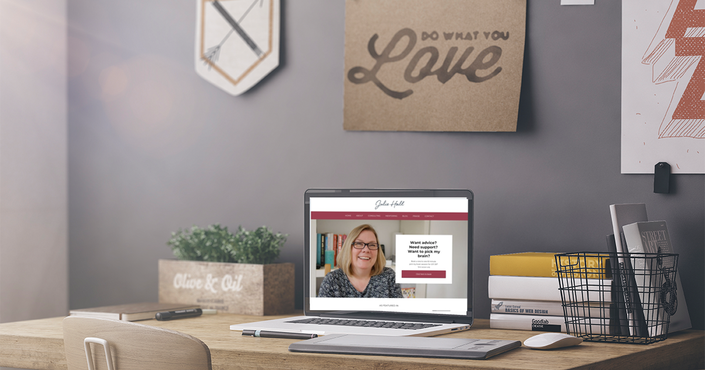
Create Your Perfect Website in WordPress
Build Your Perfect Website in less than 30 Days
Join us Live in January to Build Your Perfect Website // Click to Enroll Now
Would you like to have a website that you can easily update yourself?
Does your website need an facelift, but you can’t afford a web designer to build it?
Do you want a website that you can be proud of?
I have put together this course to take you step by step through the process of creating and setting up your website in WordPress. Simply and Easily.
I have taught hundreds of small business owners how to build their own websites in a day, but what I found that actually, this only works if you have done the preparation and work beforehand.
So, in this course we cover all the things you need to know to do that properly and I will help you put together your website using the theme that I use on my own website.
I have chosen this theme because it looks great, is very flexible and includes almost everything that you would need straight out of the box and it looks great!
There are a number of additional elements that are included that I don't use on my own website as well including:
- A Woo Commerce Shop
- Landing pages
- Multiple blog layouts
- Additional Elements for the homepage
- Email integration with MailChimp
The author of this theme also has additional themes that might prefer and everything I show you in this course will work with those as well.
*Please note the cost of the theme is an additional $59.00 and not included in the price of the course.
There are lots of resources out there that will show you how to use WordPress, but I have found that there are not many that will show you how to build a website. And make no mistake, they are not the same thing!
Building a great design is an art and a skill that most lay people don't have. And that's why I have chosen this theme. Because it has done all the hard work for you and looks fantastic.
Once you have all the elements in place, it is entirely achievable to create a great website that you love within a single day. Yes really.
The trick is to pull everything together into one place first. Think about your content and images, decide on your design elements, choose your colours and create your content. From there the rest is easy once you know how (and after this workshop, you absolutely will know how!)
Click the button below if you are ready make the leap and create a website that you love.




If you have another theme, you are very welcome to use it, I can't guarantee that I will be able to support you on the ins and outs of how it works. I do however have a lot of experience using both Divi and Visual Composer Website Builders.
The Course Schedule
The initial content will be released from December 22nd and the course officially opens on January 8th.
This includes:
- Choosing your colours and branding
- Setting up your WordPress website
- Domains & hosting
- Planning your website
- And preparing your content & graphics
The rest of the course will cover:
- How WordPress works
- Uploading themes
- Customising your theme & adding your branding
- Adding your content including images & videos
- Create menus and customising your sidebar
- Creating products for your Woo-Commerce shop
- Adding the email signup boxes
- How to maintain your website
- ... and more
What if you're a bit afraid of the tech?
If you don't know how to use WordPress or are not comfortable working with web builders, it can be a bit overwhelming.
And if this is you, don't worry... I have your back. We will be going through the process of creating and building your own website from start to finish during the month of January. I will hold your hand through the whole process in our Facebook group and live calls.
I will share with you all the things you need to know to create your own fabulous website that you can be proud of.
The course includes a series of short videos to take you step by step through the process of creating your own site.
I’ll share with you the tips and tricks that you can use that will turn your website from looking like you built it yourself to looking like it has been created by a professional.
Who this theme is suitable for?
This theme is very customisable and will work well for any service based business or individual from coaches, to business experts to consultants. It will also work well for therapy practices and online marketers.

I decided to go on the WordPress workshop because I wanted have the capability to manage my website myself. I quickly overcame my initial fears and got a gasp of it all. Since then, I have gone on to create 3 different websites which I manage myself with so much ease.
- Viv Oyolu, Dream Corner

Not to sound melodramatic, but taking the WordPress course with Julie was seriously like a weight being lifted off my chest. I’d had experience running WordPress sites before, but invariably ended up wasting hours trying to figure out what became obvious in a matter of minutes on the course. In just one day, Julie managed to give me the tools to now be able to create and manage WordPress sites independently.
- Christian McLaughlin, Producer/Director, Dakus Films

I just wanted to say many thanks for the brilliant Simply WordPress course that I did with Julie.
This course has at last, made website creation so simple and straight forward, now I’ve actually done what I’ve been meaning to do for months.
- Kerry Law, KL Comms & Goodtrippers
Are you ready to upgrade your website?
Your website is your showcase to the world. No matter how big or small you are, before working with you most people will check you out online.
- Ask yourself honestly, does your website reflect your brand and what you want to project to the world?
- Does it show your best side?
- Do you feel pride and pleasure when you give people your website address?
If you feel you are ready, then join us for this Live Website Building Course and decide that you are going to give your business and your brand the online presence that it deserves.

We offer a 30 day, no questions asked,
money back guarantee on this course.
Your Instructor

Julie Hall ran her own web design agency for 15 years and has been building WordPress websites for 10 years. She has trained over 5000 entrepreneurs in business and marketing skills and is currently working as part of the Google Digital Garage Team training their trainers how to run digital skills workshops.